• Debian 11 is approaching its end-of-life (vendor EOL date - August 31, 2026). Plesk Obsidian 18.0.80 will be the last release to support it.
    If you are running Plesk Obsidian on Debian 11, we recommend you upgrade those servers to Debian 12 using our dist-upgrade tool.
  • We plan to deprecate and remove the support for XML RPC protocol versions earlier than 1.6.9.1 in Plesk Obsidian 18.0.82. We strongly recommend that you update all existing integrations using earlier versions of the XML RPC protocol to comply with the version 1.6.9.1 specification.

Issue I have problem 426 No Sec-WebSocket-Protocols requested supported

arabtion

New Pleskian
all my websocket fine but i get err 426 No Sec-WebSocket-Protocols requested supported plesse help me
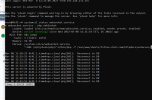
Screenshot_526.png
Screenshot_527.png
location /socket/ {
proxy_pass http://xx.xx.x.xx:2589;
proxy_http_version 1.1;
proxy_set_header Upgrade $http_upgrade;
proxy_set_header Connection "Upgrade";
}
Screenshot_528.png
anyone can help me where wrong
 
So a few things I can think of. Since this is HTTP response 426 it's basically means upgrade required. The way you have your nginx set up one thing you can try to do is do away with the upgrade proxy headers and see what happens. So it goes from:

NGINX:
location /socket/ {
    proxy_pass http://xx.xx.x.xx:2589;
    proxy_http_version 1.1;
    proxy_set_header Upgrade $http_upgrade;
    proxy_set_header Connection "Upgrade";
}

To

NGINX:
location /socket/ {
    proxy_pass http://xx.xx.x.xx:2589;
}

Another thing to try is, if the application is running on the same server, is to not use the public IP address but instead the local loopback (127.0.0.1) since this is done on the backend anyways and does not affect what the end user will get.
 
So a few things I can think of. Since this is HTTP response 426 it's basically means upgrade required. The way you have your nginx set up one thing you can try to do is do away with the upgrade proxy headers and see what happens. So it goes from:

NGINX:
location /socket/ {
    proxy_pass http://xx.xx.x.xx:2589;
    proxy_http_version 1.1;
    proxy_set_header Upgrade $http_upgrade;
    proxy_set_header Connection "Upgrade";
}

To

NGINX:
location /socket/ {
    proxy_pass http://xx.xx.x.xx:2589;
}

Another thing to try is, if the application is running on the same server, is to not use the public IP address but instead the local loopback (127.0.0.1) since this is done on the backend anyways and does not affect what the end user will get.
i test all thing i get same problem 426
 
i use this config
location ^~ /socket {
#add_header 'Access-Control-Allow-Origin' '*';

proxy_pass http://127.0.0.1:2589;
proxy_set_header X-Real-IP $remote_addr;
proxy_set_header X-Forwarded-For $proxy_add_x_forwarded_for;
proxy_set_header X-Client-Verify SUCCESS;
proxy_set_header X-NginX-Proxy true;
proxy_read_timeout 60;
proxy_connect_timeout 60;
proxy_redirect off;

proxy_http_version 1.1;
proxy_set_header Upgrade $http_upgrade;
proxy_set_header Connection 'upgrade';
proxy_set_header Host $host;
proxy_cache_bypass $http_upgrade;
}
 
Back
Top