Facebook
 Twitter
- Server operating system version
- Ubuntu 22.04.5 LTS
- Plesk version and microupdate number
- Plesk Obsidian 18.0.71 Update #2
Hello,
I have a critical issue with SSL certificate assignment on my Plesk mail server. The server is presenting the wrong certificate for incoming email connections, which makes automatic configuration and client connections impossible. I am confident that this is an SNI error where the server-wide default certificate is overriding domain-level assignments.
Infrastructure:
I have attached some print screen from the SSL configuration pages on PLESK.
Thank you very much for yiour support in advance.
Cheers!
I have a critical issue with SSL certificate assignment on my Plesk mail server. The server is presenting the wrong certificate for incoming email connections, which makes automatic configuration and client connections impossible. I am confident that this is an SNI error where the server-wide default certificate is overriding domain-level assignments.
Infrastructure:
- Web Hosting: CloudPanel server
- Email Services: Plesk server
- Mail Gateway: Proxmox Mail Gateway (PMG)
- DNS: IONOS
- Plesk Plugin: Plesk Premium Email is installed.
- Domain 1 (DOMAIN1.com): The email account works correctly. Browser access to https://mail.domain1.com shows the correct certificate.
- Domain 2 (DOMAIN2.com): When trying to configure an email account, clients receive the error "Certificate name mismatch" or "Unable to connect to IMAP server". Browser access to https://mail.domain2.com incorrectly shows the certificate for DOMAIN1.com.
- I have separate Sectigo wildcard certificates for both domains, which have been imported into Plesk and assigned to the respective domains in Websites & Domains > [Domain] > Mail Settings. This has not fixed the error.
- All necessary ports (993, 465) are open and reachable in the Plesk firewall.
- Attempts to create a combined multi-domain certificate failed because the main domain A-records (DOMAIN1.com and DOMAIN2.com) point to the CloudPanel server, blocking Plesk's validation.
- Important: I used an SSL diagnostics tool that reported a "Certificate name mismatch" for mail.DOMAIN2.com and showed the DOMAIN1.com certificate.
I have attached some print screen from the SSL configuration pages on PLESK.
Thank you very much for yiour support in advance.
Cheers!
Attachments
-
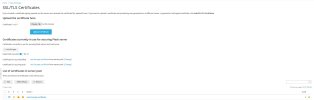 Serverweites_Zertifikat_fuer_Plesk-1.jpg202 KB · Views: 6
 -
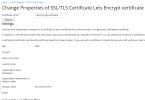 Serverweites_Zertifikat_fuer_Plesk-2.jpg139.5 KB · Views: 5
 -
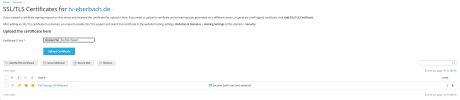 tv-eberbach-de_Zertifikatsseite.jpg162.3 KB · Views: 5
 -
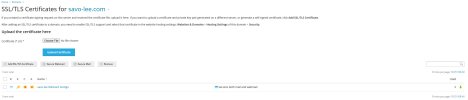 savo-lee-com_Zertifikatsseite.jpg164.9 KB · Views: 7
 -
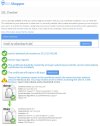 2025-08-19_09-57-05.jpg224 KB · Views: 7
 -
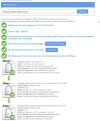 2025-08-19_09-57-56.jpg226.9 KB · Views: 7