Follow along with the video below to see how to install our site as a web app on your home screen.
Note: This feature may not be available in some browsers.
The APS Catalog has been deprecated and removed from all Plesk Obsidian versions. Applications already installed from the APS Catalog will continue working. However, Plesk will no longer provide support for APS applications.
Please be aware: with the Plesk Obsidian 18.0.78 release, the support for the ngx_pagespeed.so module will be deprecated and removed from the sw-nginx package.
Howdy I noticed that the cronjob created by Plesk to replace the default Wordpress one does not have the "doing_wp_cron" parameter.
Why?
Shouldn't it run /wp-cron.php?doing_wp_cron in this case?
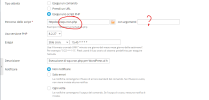
Howdy I noticed that the cronjob created by Plesk to replace the default Wordpress one does not have the "doing_wp_cron" parameter.
Why?
Shouldn't it run /wp-cron.php?doing_wp_cron in this case?
The doing_wp_cron parameter is only used in conjunction with the ALTERNATE_WP_CRON option. Plesk doesn't use the ALTERNATE_WP_CRON option, rather it disables the build-in WP cron all together with the DISABLE_WP_CRON option and instead calls the wp-cron.php page directly via a scheduled task (cron job). Which is, in most cases, the most reliable and efficient way the handle the WP cron.