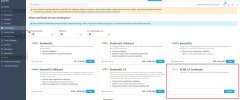
Following your advice, I enabled the debug log,
and was able to confirm sufficient logging.
[2026-04-07 18:17:51.612] 93891:69d4cbbf49588 DEBUG [extension/acme] [ACME] Account resolved: https://******.com/mpki/api/v1/acme/v2/*********
[2026-04-07 18:17:52.285] 93891:69d4cbbf49588 DEBUG [extension/acme] [ACME] Reusing existing order: https://******.com/mpki/api/v1/acme/v2/*********directory|*****.com
[2026-04-07 18:17:52.285] 93891:69d4cbbf49588 DEBUG [extension/acme] [ACME] Order resolved: https://******.com/mpki/api/v1/acme/v2/*********/order/****************
[2026-04-07 18:17:52.597] 93891:69d4cbbf49588 DEBUG [extension/acme] [ACME] Validating: *****.com
It appeared to be stuck at the final stage of ACME authentication, but since Plesk had also created the .well-known/acme-challenge/* directory for the target domain, I believe this is due to the environment blocking external communication, as I mentioned in the previous thread.
Since this is a verification environment dedicated to our internal network, I cannot immediately open ports 80 and 443, but I will try opening them at a later date.
I have an additional related question.
In Plesk, there is a wildcard checkbox when issuing an SSL certificate.
The error mentioned above is the log when a wildcard is not specified.
Presumably, since single-domain certificates use HTTP-01 for authentication, they cannot be issued in my environment.
In contrast, I believe wildcards typically use DNS-01 for authentication, but when I attempted to issue a wildcard certificate, no TXT record was added to the DNS records.
Additionally, when I attempted to issue a wildcard certificate, no errors were logged even with debug logging enabled, so I was unable to identify the cause.
Is the behavior of ACME for wildcards typically logged in the debug log?
Translated with DeepL.com (free version)
 Facebook
 Twitter
 ext.plesk.com