
 Facebook
 Twitter
Conor Hill
New Pleskian
Hi,
I am trying to install a java app on a domain, I have installed the WAR without an issue, but this particular web app uses several other files and folders to work.
I have added to parameters needed to server.xml under the correct host and I have also tried adding the context under a separate file in Catalina>WebspaceName>diveport.xml
But no avail, I am still getting the following error:
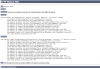
server.xml:
Thanks,
Conor.
I am trying to install a java app on a domain, I have installed the WAR without an issue, but this particular web app uses several other files and folders to work.
I have added to parameters needed to server.xml under the correct host and I have also tried adding the context under a separate file in Catalina>WebspaceName>diveport.xml
But no avail, I am still getting the following error:
server.xml:
<Service debug="0" name="PSA">
<Connector port="9008" enableLookups="false" protocol="AJP/1.3" address="127.0.0.1"/>
<Connector port="9080" maxThreads="15" minSpareThreads="5" maxSpareThreads="75" enableLookups="true" acceptCount="10" connectionTimeout="20000" disableUploadTimeout="true"/>
<Engine name="PSA" defaultHost="localhost">
<Host deployXML="true" name="diveport.manitex.ie" appBase="psa-webapps/diveport.manitex.ie" unpackWARs="false" autoDeploy="true" liveDeploy="true">
<Context crossContext="false" reloadable="false" useNaming="true" swallowOutput="false" privileged="true" displayName="Tomcat Manager Application" docBase="/usr/share/tomcat6/psa-webapps/diveport.manitex.ie/diveport.war" cookies="true" path="/manager" cachingAllowed="true">
<Parameter name="dataroot" value="/usr/share/psa-webdata/diveport.manitex.ie" />
<Parameter name="approot" value="/usr/share/psa-webapps/diveport.manitex.ie" />
<Parameter name="diveline.server" value="IPADDRESS:2130" />
<Parameter name="diveline.admin-username" value="admin" />
<Parameter name="diveport.approot" value="/usr/share/psa-webapps/diveport.manitex.ie" />
<!-- for single-sign-on with a CGI-mode installation, uncomment and set these parameters:
<Parameter name="diveline.web-auth-start-url" value="Enter DLCGI DivePort URL Here"/>
<Parameter name="diveline.web-auth-finish-url" value="Enter Logoff URL Here"/>
-->
<Parameter name="require-confidentiality" value="false" />
</Context>
<Realm className="org.apache.catalina.realm.MemoryRealm" pathname="psa-users/diveport.manitex.ie.xml" validate="true"/>
</Host>
</Engine>
</Service>
Any help or tips would be appreciated. <Connector port="9008" enableLookups="false" protocol="AJP/1.3" address="127.0.0.1"/>
<Connector port="9080" maxThreads="15" minSpareThreads="5" maxSpareThreads="75" enableLookups="true" acceptCount="10" connectionTimeout="20000" disableUploadTimeout="true"/>
<Engine name="PSA" defaultHost="localhost">
<Host deployXML="true" name="diveport.manitex.ie" appBase="psa-webapps/diveport.manitex.ie" unpackWARs="false" autoDeploy="true" liveDeploy="true">
<Context crossContext="false" reloadable="false" useNaming="true" swallowOutput="false" privileged="true" displayName="Tomcat Manager Application" docBase="/usr/share/tomcat6/psa-webapps/diveport.manitex.ie/diveport.war" cookies="true" path="/manager" cachingAllowed="true">
<Parameter name="dataroot" value="/usr/share/psa-webdata/diveport.manitex.ie" />
<Parameter name="approot" value="/usr/share/psa-webapps/diveport.manitex.ie" />
<Parameter name="diveline.server" value="IPADDRESS:2130" />
<Parameter name="diveline.admin-username" value="admin" />
<Parameter name="diveport.approot" value="/usr/share/psa-webapps/diveport.manitex.ie" />
<!-- for single-sign-on with a CGI-mode installation, uncomment and set these parameters:
<Parameter name="diveline.web-auth-start-url" value="Enter DLCGI DivePort URL Here"/>
<Parameter name="diveline.web-auth-finish-url" value="Enter Logoff URL Here"/>
-->
<Parameter name="require-confidentiality" value="false" />
</Context>
<Realm className="org.apache.catalina.realm.MemoryRealm" pathname="psa-users/diveport.manitex.ie.xml" validate="true"/>
</Host>
</Engine>
</Service>
Thanks,
Conor.
