Facebook
 Twitter
Hello all,
Sorry to ask a dumb question, but I simply cannot find the place to change nginx settings. according to the docs:
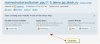
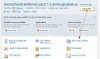
So, I open the Website & Domains tab, can see a few domains on the bottom, but no signs of the Web server settings page. Click on the domain link, it opens another page "Hosting settings for mysite.com" and PHP tab. Again, no signs of that mysterious Web Server settings tab (page).
Can someone please explain where I can find it?
Thanks!
Sorry to ask a dumb question, but I simply cannot find the place to change nginx settings. according to the docs:
"All customizable web server settings are located on the Websites & Domains > <domain name> Web Server settings page"
So, I open the Website & Domains tab, can see a few domains on the bottom, but no signs of the Web server settings page. Click on the domain link, it opens another page "Hosting settings for mysite.com" and PHP tab. Again, no signs of that mysterious Web Server settings tab (page).
Can someone please explain where I can find it?
Thanks!