Facebook
 Twitter
raytracy
Basic Pleskian
I have recorded traffic spike at gateway sometime:
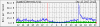
I knew that traffic was outbound from a specific IP address according to my netflow reporter. But this IP were used by a Plesk server which hosted tens sites.
Is there any semi-realtime report inside Plesk can help me identify which site caused the high volume traffic?
AWstat or Webalizer report are not useful since I can only see the report for last day, not today or several hours before.
I knew that traffic was outbound from a specific IP address according to my netflow reporter. But this IP were used by a Plesk server which hosted tens sites.
Is there any semi-realtime report inside Plesk can help me identify which site caused the high volume traffic?
AWstat or Webalizer report are not useful since I can only see the report for last day, not today or several hours before.