• The new Python extension is now available. It allows customers to deploy and manage WSGI-based Python applications on their websites directly from Plesk.
  • The Plesk Mobile apps for iOS and Android and the Plesk Mobile Center extension have been deprecated, and are no longer available for new installations. In Plesk Obsidian 18.0.84, the Plesk Mobile Center extension will be removed from servers during the upgrade, and the Plesk Mobile apps will lose their server management features.
  • The Social Login extension has been deprecated and will be removed in Plesk Obsidian 18.0.84. After that, it will no longer be possible to log in to Plesk with a Google, Facebook, GitHub account, or with a passkey. Plesk usernames and passwords, as well as logging in with a WebPros Account, are not affected.

Resolved Anyway to identify which domain caused high volume traffic?

raytracy

Basic Pleskian
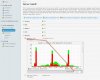
I have recorded traffic spike at gateway sometime:

upload_2017-9-13_20-27-29.png

I knew that traffic was outbound from a specific IP address according to my netflow reporter. But this IP were used by a Plesk server which hosted tens sites.

Is there any semi-realtime report inside Plesk can help me identify which site caused the high volume traffic?

AWstat or Webalizer report are not useful since I can only see the report for last day, not today or several hours before.
 
You can use the network bandwith monitor of Plesk health monitor for early warnings. But it is not possible to identify the culprit by a default Plesk monitoring tool.

My suggestion is to upload a custom configuraton file that sets the alarm for bandwith alerts to a low value so that it can get your attention asap, then run
# strace -p <pid>
on the PID of the httpd process with the highest CPU usage at the time when the peak occurs. Normally the output includes some hints on the domain that is causing it.

A more complicated way would be to write a watchdog script that is monitoring network traffic and automatically records strace-outputs in case the network traffic goes up. I am not aware that such a tool is available, at least not from within Plesk.

network_bandwidth.jpg
 
Back
Top