Follow along with the video below to see how to install our site as a web app on your home screen.
Note: This feature may not be available in some browsers.
The APS Catalog has been deprecated and removed from all Plesk Obsidian versions. Applications already installed from the APS Catalog will continue working. However, Plesk will no longer provide support for APS applications.
Please be aware: with the Plesk Obsidian 18.0.78 release, the support for the ngx_pagespeed.so module will be deprecated and removed from the sw-nginx package.
Hi @tanasis
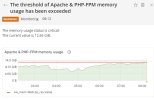
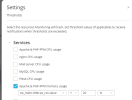
It's up to you to decide what are the optimal values for your server for certain services. These thresholds (and the alerts) are set just for monitoring and notification reasons and are adjustable per your needs. According to your htop output, there should be enough memory though so it looks safe to increase a threshold a bit and keep an eye on how it goes.
In general, if you do not have experience in server administration, we recommend that you keep the default Monitoring configuration. The preconfigured thresholds and enabled notifications are optimal. Otherwise, you can set your own thresholds and turn on and off notifications for particular resources.