Facebook
 Twitter
LordLiverpool
Basic Pleskian
Hello World
This is my first post, I am a noob, so please go easy on me!
Here is a little background info:
I got myself a VPS from 123-Reg in the UK.
I built a few websites and everything was going swimmingly well.
But then I wanted to do an e-commerce website with a shopping cart (oscommerce)
and a merchant account (Barclays UK Bank: ePDQ)
So I got this nice little connecting piece of php (oscommerce_epdq_payment_module_1.11) to link my site to the bank.
and the instructions say the code has got to be put in the root directory of the website.
So I go Websites & Domains > File Manager > Add New File > Choose File (callback.php) > OK
then I get the following error message:
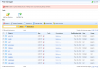
Error: Unable to upload callback.php to /: filemng: Error occurred during /bin/cp command.
(See attached .PNG)
Now years ago I would've opened a unix shell and done su root and chmod 700
But because I now have Parallels Plesk v10.4.4 sitting on top on CentOS v6 r3.6.32-71
I am stumped???
Questions:
1.) Am I right in thinking that its a permission issue on the root directory?
2.) If so how do I alter permission on the root directory?
3.) Is the /: directory the root directory? I can't navigate to it in file manager
4.) Am I barking up the wrong tree? If so please help me!
I logged in with root and the password 123-Reg originally gave me but I didn't seem to have any "super powers".
I have wasted hours and hours googling for an answer. Please help.
Thanks in advance for your verbose reply!
Michael
This is my first post, I am a noob, so please go easy on me!
Here is a little background info:
I got myself a VPS from 123-Reg in the UK.
I built a few websites and everything was going swimmingly well.
But then I wanted to do an e-commerce website with a shopping cart (oscommerce)
and a merchant account (Barclays UK Bank: ePDQ)
So I got this nice little connecting piece of php (oscommerce_epdq_payment_module_1.11) to link my site to the bank.
and the instructions say the code has got to be put in the root directory of the website.
So I go Websites & Domains > File Manager > Add New File > Choose File (callback.php) > OK
then I get the following error message:
Error: Unable to upload callback.php to /: filemng: Error occurred during /bin/cp command.
(See attached .PNG)
Now years ago I would've opened a unix shell and done su root and chmod 700
But because I now have Parallels Plesk v10.4.4 sitting on top on CentOS v6 r3.6.32-71
I am stumped???
Questions:
1.) Am I right in thinking that its a permission issue on the root directory?
2.) If so how do I alter permission on the root directory?
3.) Is the /: directory the root directory? I can't navigate to it in file manager
4.) Am I barking up the wrong tree? If so please help me!
I logged in with root and the password 123-Reg originally gave me but I didn't seem to have any "super powers".
I have wasted hours and hours googling for an answer. Please help.
Thanks in advance for your verbose reply!
Michael