Facebook
 Twitter
- Server operating system version
- ubuntu
- Plesk version and microupdate number
- 18.0.63
Hello!
I cannot understand why DNS records A (modified on the hosting provider) keeps referring to the temp *.plesk.site url.
Here is what ive done:
I created a Temp domain under plesk : Plesk give me "nervous-zhukovsky.128-140-0-X.plesk.page" url.
On this temp domain, i cloned the customer website. (lets say the url is "myrealsite.com")
30hours ago, After successfull cloning, i made modifications to Records A on the hosting provider (register.it).
The A record now point successfully to my server (128.140.0.X).
then I, under plesk, renamed the domain "nervous-zhukovsky.128-140-0-X.plesk.page" to the real customer domain ("myrealsite.com")
After all i have made all SSL certificates (all is good) and replaced the temp url with the real url in my wordpress database installation .
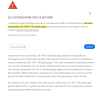
After 30 hours, if i try to open "myrealsite.com" it keeps to refer to "nervous-zhukovsky.128-140-0-X.plesk.page".
I really dont know whats going on!
can you help?
(tell me if you need to know the real urls or need to have more printscreen!)
I cannot understand why DNS records A (modified on the hosting provider) keeps referring to the temp *.plesk.site url.
Here is what ive done:
I created a Temp domain under plesk : Plesk give me "nervous-zhukovsky.128-140-0-X.plesk.page" url.
On this temp domain, i cloned the customer website. (lets say the url is "myrealsite.com")
30hours ago, After successfull cloning, i made modifications to Records A on the hosting provider (register.it).
The A record now point successfully to my server (128.140.0.X).
then I, under plesk, renamed the domain "nervous-zhukovsky.128-140-0-X.plesk.page" to the real customer domain ("myrealsite.com")
After all i have made all SSL certificates (all is good) and replaced the temp url with the real url in my wordpress database installation .
After 30 hours, if i try to open "myrealsite.com" it keeps to refer to "nervous-zhukovsky.128-140-0-X.plesk.page".
I really dont know whats going on!
can you help?
(tell me if you need to know the real urls or need to have more printscreen!)