B brkatc New Pleskian Feb 27, 2013 #1 Hello, I can't find how to enable directory listing on Plesk 11 for Linux. Can you help me ? Regards, Burak
Hello, I can't find how to enable directory listing on Plesk 11 for Linux. Can you help me ? Regards, Burak
B brkatc New Pleskian Feb 27, 2013 #2 I tried to enable directory listing with .htaccess but not listed httpdocs directory.
A Alexey.Plotnitsky Regular Pleskian Mar 1, 2013 #4 Hi brkatc, Just create .htaccess file (using file manger ) with following content: Options +Indexes You will need to enable "show system and hidden files" in file manager settings.
Hi brkatc, Just create .htaccess file (using file manger ) with following content: Options +Indexes You will need to enable "show system and hidden files" in file manager settings.
B brkatc New Pleskian Mar 2, 2013 #5 Hi Alexey, I can't find file manager settings. Where is this page? Regards.
D Dmitriy S Basic Pleskian Mar 2, 2013 #6 Give to know if this article was helpful for you http://kb.parallels.com/en/2133
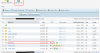
A Alexey.Plotnitsky Regular Pleskian Mar 3, 2013 #7 brkatc, I've just checked - you do not need to change file manager options. The .htaccess file could be added anyway, see attached screenshot. Attachments htaccess.png 61.8 KB · Views: 6 Last edited: Mar 3, 2013
brkatc, I've just checked - you do not need to change file manager options. The .htaccess file could be added anyway, see attached screenshot.