Facebook
 Twitter
W
wintech2003@
Guest
Hello,
I received the following notifications last night from my server:
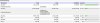
Attached is a screenshot of the Statistics page.
Is there any way to make the partition for /dev/md2 larger? Now it's 1GB. Can I make it 2GB? (since I have ~130GB free space on my other partition)
Is there a way to do this without loosing data or having to setup the whole server from the beginning?
Thanks a lot in advance
I received the following notifications last night from my server:
Code:
Disk space usage has reached the specified threshold on host xxx.xxx.xxx:
Device name: /dev/md2
Mount point: /usr/local
Capacity: 1035596 kilobytes
Used disk space: 968276 kilobytes
Maximum number of files: 131616
Current number of files: 67658

The problem was discovered on Mar 26, 2008 07:54 PM.
Attached is a screenshot of the Statistics page.
Is there any way to make the partition for /dev/md2 larger? Now it's 1GB. Can I make it 2GB? (since I have ~130GB free space on my other partition)
Is there a way to do this without loosing data or having to setup the whole server from the beginning?
Thanks a lot in advance