
 Facebook
 Twitter
BJOUX
New Pleskian
- Server operating system version
- OS CentOS Linux 7.9.2009 (Core)
- Plesk version and microupdate number
- Obsidian v18.0.45_build1800220722.09 os_CentOS 7
Hello, I am going to move my store from Magento 2.2 to 2.4.5, and requires elasticsearch to work properly. I am an amateur but I have a VP with plesk.

I do the Docker installation in the Plesk extensions, already installed it does not allow me to start. This is normal?
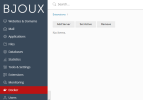
I watched many tutorials to install elasticsearch in plesk but what I have is nothing like that.
They all say "Catalog on Localhost"
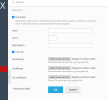
I'm new to Plesk and programming but I think something is wrong or I can't configure it. I hope your help. Thank you.
Plesk
CPU Intel(R) Xeon(R) CPU E5-2620 v4 @ 2.10GHz (32 core(s))
Version Plesk Obsidian v18.0.45_build1800220722.09 os_CentOS 7
OS CentOS Linux 7.9.2009 (Core)
I do the Docker installation in the Plesk extensions, already installed it does not allow me to start. This is normal?
I watched many tutorials to install elasticsearch in plesk but what I have is nothing like that.
They all say "Catalog on Localhost"
I'm new to Plesk and programming but I think something is wrong or I can't configure it. I hope your help. Thank you.
Plesk
CPU Intel(R) Xeon(R) CPU E5-2620 v4 @ 2.10GHz (32 core(s))
Version Plesk Obsidian v18.0.45_build1800220722.09 os_CentOS 7
OS CentOS Linux 7.9.2009 (Core)


