Follow along with the video below to see how to install our site as a web app on your home screen.
Note: This feature may not be available in some browsers.
The APS Catalog has been deprecated and removed from all Plesk Obsidian versions. Applications already installed from the APS Catalog will continue working. However, Plesk will no longer provide support for APS applications.
Please be aware: with the Plesk Obsidian 18.0.78 release, the support for the ngx_pagespeed.so module will be deprecated and removed from the sw-nginx package.
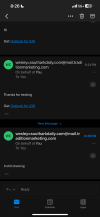
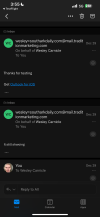
Yes @Sebahat.hadzhi attached is a screenshot of what it shows in my outlook when I sent a test email to my main domain. As you can see mail.myhostingprovider.com is showing instead of @mydomain.com
Thank you for the screenshot. I can see the subdomain, but I am wondering how are these emails generated exactly. Do you send them from Webmail, from a particular script, from a form on your website, etc.
@ahat.hadzhi via my webmail client on my hosting provider. I am just seeing how can i get that to show my name instead of that it so people won’t try to hack my accountd
Let our complete Plesk solution grow your business
www.plesk.com
As for your previous issue, that depends on the webmail client you are using. If that's RoundCube, you should be able to adjust the value from Settings > Identities > Choose identity > Display name.