
 Facebook
 Twitter
MrPleskLearner
Basic Pleskian
- Server operating system version
- Ubuntu 22.04
- Plesk version and microupdate number
- Plesk 18
Hi 
I want to activate Firewall extension but i get error messag as you can see right below.
"Command '['/usr/local/psa/var/modules/firewall/firewall-new.sh']' timed out after 14.999689102172852 seconds"
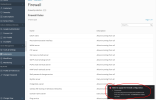
Any ideas how to activate it?
I am using Ubuntu 22.04 and Plesk version is the latest one.
I want to activate Firewall extension but i get error messag as you can see right below.
"Command '['/usr/local/psa/var/modules/firewall/firewall-new.sh']' timed out after 14.999689102172852 seconds"
Any ideas how to activate it?
I am using Ubuntu 22.04 and Plesk version is the latest one.
