• Halloween is coming! To celebrate the occasion, we dusted off a couple of old skins, and even created a brand new one (Pixel).
    To get into the festive spirit, install the Skins extension.
  • The new Python extension is now available. It allows customers to deploy and manage WSGI-based Python applications on their websites directly from Plesk.
  • The Plesk Mobile apps for iOS and Android and the Plesk Mobile Center extension have been deprecated, and are no longer available for new installations. In Plesk Obsidian 18.0.84, the Plesk Mobile Center extension will be removed from servers during the upgrade, and the Plesk Mobile apps will lose their server management features.
  • The Social Login extension has been deprecated and will be removed in Plesk Obsidian 18.0.84. After that, it will no longer be possible to log in to Plesk with a Google, Facebook, GitHub account, or with a passkey. Plesk usernames and passwords, as well as logging in with a WebPros Account, are not affected.

Resolved Failure: Getting Flask (gunicorn) to work from Plesk web interface

kinesis

New Pleskian
Server operating system version
5.15.0-161-generic #171-Ubuntu SMP
Plesk version and microupdate number
Plesk Obsidian 18.0.73 Update #5 Web Host Edition
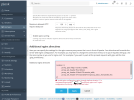
I am not able to override ProxyPass to nginx from Gunicorn Flask application on port 5000.

These are the errors I get, trying the stuff I searched for on this forum.
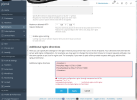
 
Before adding any additional nginx directives in a location / { } block, first disable the Proxy mode setting on the same page, click the Apply button, then (only then) add your location / { } block with the ProxyPass options.
 
Before adding any additional nginx directives in a location / { } block, first disable the Proxy mode setting on the same page, click the Apply button, then (only then) add your location / { } block with the ProxyPass options.


actually for some reason it worked.
 
Back
Top