• Inviting everyone who uses WordPress management tools in Plesk
    The Plesk team is conducting a 60-minute research session that includes an interview and a moderated usability test.
    To participate, please use this link .
    Your experience will help shape product decisions and ensure the tools better support real-world use cases.

How do I reset permissions for httpdocs?

J

Joshua Sortino

Guest
The permissions on the httpdocs folder got changed (the group also) for one of my subdomains. I can no longer access the logs or anything.

What command can I use to reset them?

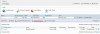
Another alternative to fix the problem was recommended by someone I talked to from Parallels support, they told me there's a button labeled "Check permissions" in the Plesk control panel, however, I do not see this button.
 
Hello,

Please try:

#/usr/local/psa/admin/sbin/vhostmng --install-vhost --vhost-name=<domain_name> --user-name=<user_name> --set-content-permissions
 
See attached for a screenshot of where Check Permissions button is.
 

Attachments

  • perm.JPG
    perm.JPG
    50.5 KB · Views: 137
I fixed the issue by psyically accessing the machine and right clicking the httpdocs folder and changing the group to psaserv and user to the domain user.

However, this will be a HUGE help if I need to reset the permissions again in the future. Thank you very much!

That being said, I still do not see the "Check Permissions" button ... I'll post a follow up below.
 
I have put in symbolic links through SSH for a multi-store Magento shopping cart setup. It seems the permissions have changed after that. If I reset permissions will that mess up the symbolic links that I set up? Any thoughts?
 
Back
Top