Facebook
 Twitter
stefan-franz
Basic Pleskian
Hello,
i was able to install APCu for php 8.0 and to activate that with my nextcloud there ist the following to do:
Warning
APCu is disabled by default on CLI which could cause issues with nextcloud’s cron jobs. Please make sure you set the apc.enable_cli to 1 on your php.ini config file or append --define apc.enable_cli=1 to the cron job call.
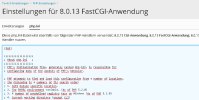
Is it right, that i have to append at the bottom of this file here in plesk only the line:
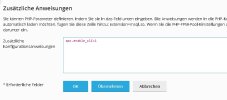
apc.enable_cli=1
i was able to install APCu for php 8.0 and to activate that with my nextcloud there ist the following to do:
Warning
APCu is disabled by default on CLI which could cause issues with nextcloud’s cron jobs. Please make sure you set the apc.enable_cli to 1 on your php.ini config file or append --define apc.enable_cli=1 to the cron job call.
Is it right, that i have to append at the bottom of this file here in plesk only the line:
apc.enable_cli=1