Facebook
 Twitter
kimharding
New Pleskian
- Server operating system version
- Ubuntu 22.04
- Plesk version and microupdate number
- Plesk Obsidian 18.0.79 Update #4 Web Host Edition
Every time I try to use Nextcloud’s occ command I run into problems which seem to be permissions issues, but I can figure out what the correct users and permissions are.
Nextcloud says "You must run occ as your HTTP user so that the file ownership and permissions on your Nextcloud data directory stay consistent with the web server." It also says that "The HTTP user and group in Debian/Ubuntu is www-data", as I am running Ubuntu 24.04 I have tried that, but it doesn't want to work.
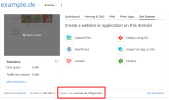
Clearly, Plesk has things set up differently, so how do I find the correct User?