
 Facebook
 Twitter
hardbrasil
Regular Pleskian
- Server operating system version
- almalinux 9,
- Plesk version and microupdate number
- Plesk Obsidian 18.0.67 Update 1
Hello fellas, i went to install this application typebot on plesk using docker.
when i get the configurantion panel, i need to set the variables, but there is one that i a am not able to pass: "DATABASE_URL "
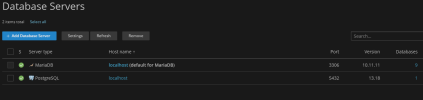
i already tried: localhost, localhost:5432, all parameter like (usr/pass/path/db), all them i got
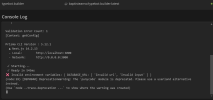
"Invalid environment variables: { DATABASE_URL: [ 'Invalid url', 'Invalid input' ] }" see the image:
i apreciate any help
when i get the configurantion panel, i need to set the variables, but there is one that i a am not able to pass: "DATABASE_URL "
i already tried: localhost, localhost:5432, all parameter like (usr/pass/path/db), all them i got
"Invalid environment variables: { DATABASE_URL: [ 'Invalid url', 'Invalid input' ] }" see the image:
i apreciate any help


