Facebook
 Twitter
Hi Marteenv,
perhaps I solved.
I created a shell script file in the subscription home.
This file contains the same commands I would issue with the command line.
Then, in plesk scheduler I set this file to execute.
It seems to work.
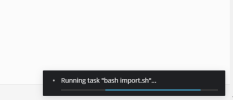
Just a question: the script is still running and I see the pop-up on the browser right corner stating this.
It's safe to close the browser or will it stop the script?
TIA
tony
perhaps I solved.
I created a shell script file in the subscription home.
This file contains the same commands I would issue with the command line.
Then, in plesk scheduler I set this file to execute.
It seems to work.
Just a question: the script is still running and I see the pop-up on the browser right corner stating this.
It's safe to close the browser or will it stop the script?
TIA
tony