• Debian 11 is approaching its end-of-life (vendor EOL date - August 31, 2026). Plesk Obsidian 18.0.80 will be the last release to support it.
    If you are running Plesk Obsidian on Debian 11, we recommend you upgrade those servers to Debian 12 using our dist-upgrade tool.
  • We plan to deprecate and remove the support for XML RPC protocol versions earlier than 1.6.9.1 in Plesk Obsidian 18.0.82. We strongly recommend that you update all existing integrations using earlier versions of the XML RPC protocol to comply with the version 1.6.9.1 specification.

Question Laravel + nodejs + Phusion passenger

jadui

New Pleskian
Server operating system version
CentOS
Plesk version and microupdate number
Product: Plesk Obsidian 18.0.40
Hi,

When I deploy (with git) my Laravel (php) project I have a strange problem. All routes to my app work, except the / (the root)
So for example /order works without any problems.
When I call the root / I get a message from Phusion passenger, like in the attached image.
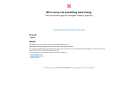
screenshot.png

Does anyone have an idea how I can fix this?
 
Hi,

When I deploy (with git) my Laravel (php) project I have a strange problem. All routes to my app work, except the / (the root)
So for example /order works without any problems.
When I call the root / I get a message from Phusion passenger, like in the attached image.

View attachment 21090

Does anyone have an idea how I can fix this?
Hey jadui!

I have the exact same problem as you! Did you manage to solve your problem since June?

Greetings,
Jonas
 
Hey jadui!

I have the exact same problem as you! Did you manage to solve your problem since June?

Greetings,
Jonas
I think I found the problem myself. I disabled the Node "Application" because it was trying to handle the default requests. I only needed the node module to compile the vue scripts.
 
I think I found the problem myself. I disabled the Node "Application" because it was trying to handle the default requests. I only needed the node module to compile the vue scripts.
Hello there.
I have the same problem and struggeling for a while to find a solution for it.
When you say I disabled the Node "Application" what do you mean? Disable the extension Node.js manager? Because i did remove the extension and the issue persists.
Thank you
 
For anyone that may have the same issue, I have resolved it by Disableing the Node Application from plesk. Somehow, when it is enabled, it crashes something, so I have run the commands on the terminal and left the application disabled. Everything works perfectly now.
 
Back
Top