Follow along with the video below to see how to install our site as a web app on your home screen.
Note: This feature may not be available in some browsers.
The new Python extension is now available. It allows customers to deploy and manage WSGI-based Python applications on their websites directly from Plesk.
Debian 11 has reached its end-of-life (vendor EOL date - August 31, 2026). Plesk Obsidian 18.0.81 is the last release to support it.
If you are running Plesk Obsidian on Debian 11, we recommend you upgrade those servers to Debian 12 using our dist-upgrade tool.
We plan to deprecate and remove the support for XML RPC protocol versions earlier than 1.6.9.1 in Plesk Obsidian 18.0.82. We strongly recommend that you update all existing integrations using earlier versions of the XML RPC protocol to comply with the version 1.6.9.1 specification.
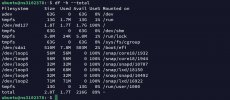
Hi, Someone please help me . I have almost 2tb of my disk space filled on my Ubuntu service and I don’t know what to delete that won’t damage my system.
Try to identify where the most disk space is used by any of these commands:
Sorted list of disk space usage small to large:
# du -hs * | sort -h
Find files larger 5 MB (5000k, adapt to the size you need):
find ./ -type f -size +5000k -exec ls -lh {} \; | awk '{ print $9 ": " $5 }'
Both of these commands may run a long while when executed from the root directory, because they will go through all of your disk.
It might be more efficient to start from /var/www/vhosts/ directory and /var/log directory, because most often a lot of space is occupied there.
You might also want to check if there are local backups stored on your system:
Find out where local backups are stored:
# grep DUMP_D /etc/psa/psa.conf
Then run du on that location, e.g. if your local dumps are stored in /home/dumps, run
# du -hs /home/dumps/* | sort -h
Adapt to your factual storage location.
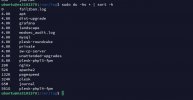
I found the issue with is plesk74-fpm. I deleted the log but in a few hours it’s already filling up quickly and I don’t know the issue since I am unable to access that folder
You need root access the plesk-php74-fpm directory. Use the SU root command the switch to Root user.
Then secondly view the error.log file that's inside the plesk-php74-fpm directory the see thre PHP errors that are logged. Best would be to figure out if you can fix the PHP errors that are mentioned in the log file.

 Facebook
 Twitter