• Halloween is coming! To celebrate the occasion, we dusted off a couple of old skins, and even created a brand new one (Pixel).
    To get into the festive spirit, install the Skins extension.
  • The new Python extension is now available. It allows customers to deploy and manage WSGI-based Python applications on their websites directly from Plesk.
  • The Plesk Mobile apps for iOS and Android and the Plesk Mobile Center extension have been deprecated, and are no longer available for new installations. In Plesk Obsidian 18.0.84, the Plesk Mobile Center extension will be removed from servers during the upgrade, and the Plesk Mobile apps will lose their server management features.
  • The Social Login extension has been deprecated and will be removed in Plesk Obsidian 18.0.84. After that, it will no longer be possible to log in to Plesk with a Google, Facebook, GitHub account, or with a passkey. Plesk usernames and passwords, as well as logging in with a WebPros Account, are not affected.

Reboot botton CP pannel not working

A

aWebsheep

Guest
Hello,

I like to restart my server (cant connect using rdp at this moment) using the restart button on SERVER -> Power management -> Reboot.
After a waring (java pop-up if i'm sure)it says: The system will now be rebooted.
But nothing else happens. The server is still up and does not reboot.

Anyone?

Thanks in advance,
Peter.
 
Some processe is hang. Run task manager and kill the process. It is not quite Plesk-related issue, please visit http://forums.microsoft.com You can find some detailed solutions on Windows OS.
 
You are so right

Thanks for your answer, you are right, It's Windows that let me down.
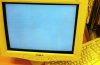
This is a picture I took form my webser after a visit to the data center.
All i saw was a mouse pointer on the screen, nothing else worked. But IIS was still working.

A hard boot solved the problem.

Peter.
 

Attachments

  • dead_windows.jpg
    dead_windows.jpg
    25.1 KB · Views: 33
Back
Top