Facebook
 Twitter
S
Softterrier
Guest
Hallo,
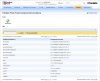
I installed Tomcat by Plesk autoinstaller and as you can see at the attachment it is actually installed.
But it does not work at all... I cannot get the Tomcat main page at my server at https://222059.vs.webtropia:8080.
(at this address the Plesk SSL certificate itself is installed)
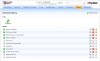
I furtheron have no idea how to configure Tomcat now - after installation. And I also cannot start and stop it by Plesk (s. attachment).
I also cannot find any documentation about that.
It is really crazy. Please help with good and detailed tips and docs how I have to continue now!
Thank you very much.
I installed Tomcat by Plesk autoinstaller and as you can see at the attachment it is actually installed.
But it does not work at all... I cannot get the Tomcat main page at my server at https://222059.vs.webtropia:8080.
(at this address the Plesk SSL certificate itself is installed)
I furtheron have no idea how to configure Tomcat now - after installation. And I also cannot start and stop it by Plesk (s. attachment).
I also cannot find any documentation about that.
It is really crazy. Please help with good and detailed tips and docs how I have to continue now!
Thank you very much.