Facebook
 Twitter
Hi,
I install plesk on my virtualbox as describe here

 docs.plesk.com
I create a virtual box ethernet adapter, and activate it for my pleskVM .
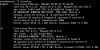
On the host (windows) ipconfig show well the ethernet card VirtualBoxon 192.168.240.1 (see file attached) ping is ok
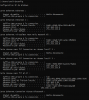
On the VM, ifconfig show the 127.0.0.1 and 10.0.2.15 (see file attached) ping is OK
And when I try to browse 192.168.240.1:8443 it doesn't work...
Anybody have an idea ?
I checkport 8443 is well listen, and psa serviceis start.
I install plesk on my virtualbox as describe here
Installer Plesk sur VirtualBox
Ce chapitre décrit l’installation d’un serveur virtuel avec Ubuntu 16.04 et Plesk 17.0 sur Oracle VirtualBox à l’aide...
docs.plesk.com
I create a virtual box ethernet adapter, and activate it for my pleskVM .
On the host (windows) ipconfig show well the ethernet card VirtualBoxon 192.168.240.1 (see file attached) ping is ok
On the VM, ifconfig show the 127.0.0.1 and 10.0.2.15 (see file attached) ping is OK
And when I try to browse 192.168.240.1:8443 it doesn't work...
Anybody have an idea ?
I checkport 8443 is well listen, and psa serviceis start.