• The APS Catalog has been deprecated and removed from all Plesk Obsidian versions.
    Applications already installed from the APS Catalog will continue working. However, Plesk will no longer provide support for APS applications.
  • Please be aware: with the Plesk Obsidian 18.0.78 release, the support for the ngx_pagespeed.so module will be deprecated and removed from the sw-nginx package.

Webadmin link for database goes to a 404

Matt1

New Pleskian
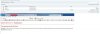
I created a mssql database. When I click on the weasmin link I go to a 404. (See attached pic)

Also when I log in as administrator and go to Tools & Settings >>>Database Servers >>>>>click on the .MSSQLSERVER2012 then webadmin it will open myLittleAdmin for SQ Server and I can see the datases.

Not sure why this is happening . Any help is appreciated.

Thanks

Matt
 

Attachments

  • DBError.jpg
    DBError.jpg
    171.4 KB · Views: 5
IgorG

You are the MAN! I know nothing about this kind of stuff as I am new to Plesk but I got it going with your help!

That post is from 2008 so some of the info is a little outdated.

I followed #6: The error may indicate that the web site sqladmin (default) responsible for MSSQL web admin is incorrectly configured in IIS. To fix the site, run the following command in the command prompt on the server:
"%plesk_cli%\repair.exe" --reconfigure-mssql-webadmin-site

Then I went into Plesk and click on the Webadmin and it opened myLittleAdmin

Many thanks

Matt
 
Update.... next day same thing again. The webadmin link goes to a 404. I did the same thing as above and it worked again. Not sure why it happened again
 
Back
Top