Facebook
 Twitter
smswerbetechnik
New Pleskian
Hello all.
We have Plesk 12.5.30 update #23 installed on an Ubuntu 14.04 server and we wanted to use the Wordpress Toolkit to check the Wordpress installation security.
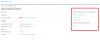
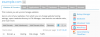
Regrettably this functionality seems to be gone. (Please see screenshot)
Is there any way to get all the amazing Wordpress Toolkit functionalities back?
I refer to all the functionalities which are described here (https://www.conetix.com.au/blog/plesk-12-wordpress-integration-making-your-life-ea).
We have Plesk 12.5.30 update #23 installed on an Ubuntu 14.04 server and we wanted to use the Wordpress Toolkit to check the Wordpress installation security.
Regrettably this functionality seems to be gone. (Please see screenshot)
Is there any way to get all the amazing Wordpress Toolkit functionalities back?
I refer to all the functionalities which are described here (https://www.conetix.com.au/blog/plesk-12-wordpress-integration-making-your-life-ea).