Facebook
 Twitter
BreatheTech
New Pleskian
- Server operating system version
- Almalinux 10.2
- Plesk version and microupdate number
- 18.0.79 #3
Hi
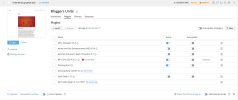
I seem to be having an issue where wordpress sites with the APCu Manager plugin activated are not seeing updates in WP-Toolkit. Refreshing in WP-Toolkit doesn't find any new updates - not for plugins or themes or wordpress core. As soon as APCu Manager is deactivated WP-Toolkit suddenly sees the available updates. This is impacting all the wordpress instances on the server.
Note that wordpress itself (when logged into wp-admin) DOES see that updates are available when APCu is running.
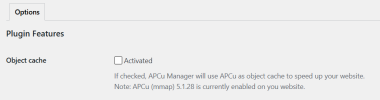
APCu Manager is working correctly and php_info shows apcu enabled correctly
Does anyone have any ideas/suggestions for how to resolve this (other than disabling APCu)
This is the latest Plesk (18.0.79 #3) on Almalinux 10.2 with sites running on pure nginx, with PHP-FPM 8.5.8 and mariadb 10.11.18
Cheers
I seem to be having an issue where wordpress sites with the APCu Manager plugin activated are not seeing updates in WP-Toolkit. Refreshing in WP-Toolkit doesn't find any new updates - not for plugins or themes or wordpress core. As soon as APCu Manager is deactivated WP-Toolkit suddenly sees the available updates. This is impacting all the wordpress instances on the server.
Note that wordpress itself (when logged into wp-admin) DOES see that updates are available when APCu is running.
APCu Manager is working correctly and php_info shows apcu enabled correctly
Does anyone have any ideas/suggestions for how to resolve this (other than disabling APCu)
This is the latest Plesk (18.0.79 #3) on Almalinux 10.2 with sites running on pure nginx, with PHP-FPM 8.5.8 and mariadb 10.11.18
Cheers