Question 2FA enforcement

Thomas Oryon

Regular Pleskian
Hello Support,

I have plesk in windoes server and Linux server with 2FA enforeced. I have an storefront which is like WHMCS and integrated the storefront with plesk. Here, store front also has the 2fa and plesk also have 2fa enforeced.

If any customer logged in to storefront it asks 2fa and when customer or admin or reseller tried to login to the account from storefront it still asking 2fa but it was two time 2fa we need to enter. Is that possible to skip the 2nd 2fa?

Awaiting your reply.
 
Hi, @Thomas Oryon . This behavior is expected for the time being. However, our team is actively working on implementing a solution. Once released no additional 2FA will be required when a session token is used to access Plesk. At this point, I cannot yet provide an exact ETA on when that will be released. You can monitor the change log here - the ID of the initiative is EXTPLESK-5904.
 
Hello Support,

Thank you for your previous update.

We understand that the current behaviour is expected, and that the Plesk team is working on a solution under initiative ID EXTPLESK-5904, where no additional 2FA will be required when a session token is used to access Plesk.

However, we would like to clarify one more point.

We are using both Windows and Linux Plesk servers, and 2FA is currently enforced on Plesk. We also have our own storefront/client portal, similar to WHMCS, which is integrated with Plesk. The storefront also has its own 2FA enabled.

Current flow:

Customer logs in to storefront
→ Storefront asks for 2FA
→ Customer clicks login/access Plesk from storefront
→ Plesk again asks for 2FA

Because of this, customers need to enter 2FA twice.

May we know if there is any currently supported method or workaround to bypass the second Plesk 2FA prompt only when the user accesses Plesk through a valid SSO/session token from our storefront?

Alternatively, is it possible for Plesk to use the same OTP/TOTP secret that is already configured in our storefront, so that the customer only needs to scan and maintain one QR code for both storefront and Plesk, instead of setting up two separate 2FA configurations?

Also, if there is any temporary workaround or recommended configuration for this scenario, kindly advise.

Awaiting your confirmation.
 
Hello @Sebahat.hadzhi

We have added the below code in panel.ini

[ext-mfa]
enforce = false
allowSkipEnforce = false
allowSkipRSession = true

and we have configured the MFA for customer account and tried to login via Storefront(WHMCS), it still requires for 2FA. Can you please check whether additional settings are needed?

Awaiting your reply.
 
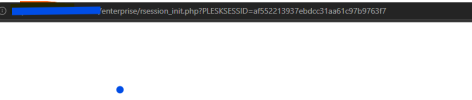
Hi, what does the URL look like when you are redirected from your Storefront, please? Is it something like https://<server-host-or-ip-address>:8443/enterprise/rsession_init.php?PLESKSESSID=1ba78fc5e27a2af9302717dbe1febb24 or does it look like the standard Plesk login URL?
 
Last edited:
Hello @Sebahat.hadzhi ,

Yes, we have the above URL when we try to login from store front. Please refer to the attached.

After this URL, it is redirected to MFA and ask us to enter the MFA to login.
 

Attachments

  • Screenshot 2026-06-09 203559.png
    Screenshot 2026-06-09 203559.png
    6.8 KB · Views: 4
Thank you for the confirmation. I consulted with our developers and there's no change needed other than adding the aforementioned code to panel.ini. According to the URL, it looks like a session token is being passed, so I am not entirely sure why an additional authentication is requested. I would suggest opening a ticket with Plesk support for further investigation on your server. To sign-in and open a ticket please go to:


If you got your license from a reseller, your reseller is in charge of providing you with support. You can raise the inquiry with them and they can forward it to our team for further processing. If the reseller does not provide support, here is an alternative to get support directly from Plesk:

 
Back
Top