
 Facebook
 Twitter
AdrianC
Basic Pleskian
Anyone can guide me on setting up 2x3TB hdds as software raid 1 for Plesk?
If I use my host's default instalation it will have a 2TB partition limit, I want to use the full space and have them in raid 1.
I created partitions manually in Centos 6.x setup interface and I ended up with this, I am not sure it is correct, is it normal to say vg_h1_root instead of /root ?!
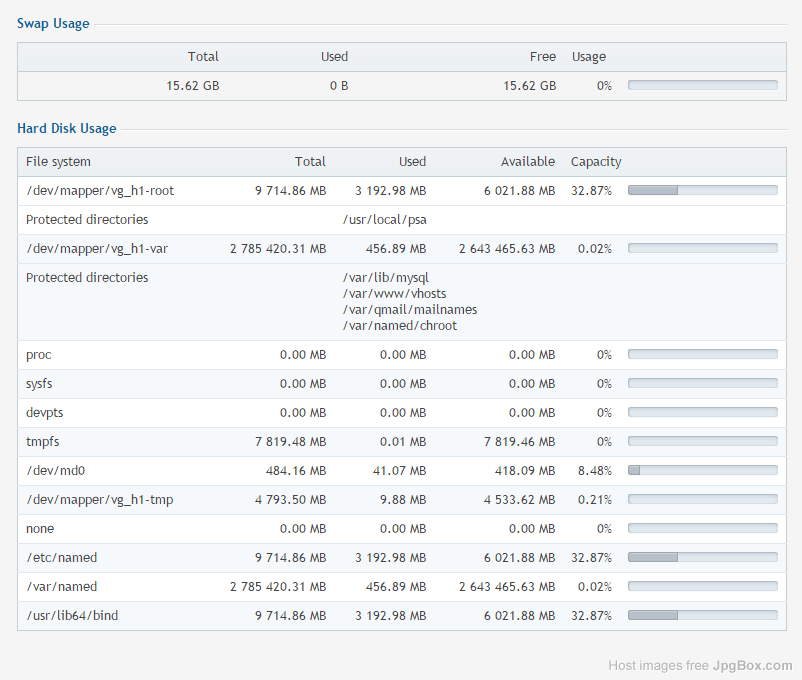
And this is what I see in web interface:
If I use my host's default instalation it will have a 2TB partition limit, I want to use the full space and have them in raid 1.
I created partitions manually in Centos 6.x setup interface and I ended up with this, I am not sure it is correct, is it normal to say vg_h1_root instead of /root ?!
Code:
 df -h
Filesystem            Size  Used Avail Use% Mounted on
/dev/mapper/vg_h1-root
                      9.5G  3.2G  5.9G  35% /
tmpfs                 7.7G   12K  7.7G   1% /dev/shm
/dev/md0              485M   42M  419M   9% /boot
/dev/mapper/vg_h1-tmp
                      4.7G  9.9M  4.5G   1% /tmp
/dev/mapper/vg_h1-var
                      2.7T  458M  2.6T   1% /var
And this is what I see in web interface:
