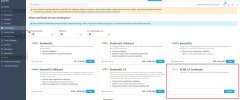
• The APS Catalog has been deprecated and removed from all Plesk Obsidian versions.
    Applications already installed from the APS Catalog will continue working. However, Plesk will no longer provide support for APS applications.
  • Please be aware: with the Plesk Obsidian 18.0.78 release, the support for the ngx_pagespeed.so module will be deprecated and removed from the sw-nginx package.

Question ACME extension

end

New Pleskian
Server operating system version
AlmaLinux 8.10 (Cerulean Leopard)
Plesk version and microupdate number
Plesk Obsidian 18.0.76 Update #4
ACMEに対応するための拡張機能が2026.326でリリースされました。


ドキュメントには、SSL ITと併用する必要があると記載されており、両方ともインストール済みです。

しかし、ACMEディレクトリなどを設定するためのGUIが見つかりません。

使用方法に関するマニュアルはありますか?
 
Hi, @end . When you navigate to the SSL installation page, the "Recommended" option is enabled by default. Please toggle off the switch and you should be able to see the ACME SSL option.

On a side note, I want to mention that our team is already working on improving the UX and make the placement of the ACME option more intuitive.
 

Attachments

  • Screenshot of SSL_TLS Certificate for 10-66-95-31.qa.plesk.tech - Plesk Obsidian 18.0.77.jpg
    Screenshot of SSL_TLS Certificate for 10-66-95-31.qa.plesk.tech - Plesk Obsidian 18.0.77.jpg
    426.9 KB · Views: 5
  • Like
Reactions: end
This is a continuation of the verification process. I'm experiencing a 500 error when making a request after configuring ACME. I would appreciate assistance in resolving this issue.

I configured the ACME directory URL, EAB key ID, and EAB HMAC key obtained from the Certificate Authority and made a request, but after a few minutes, I receive a 500 internal error.

To investigate the cause of the error, I checked the log file `/var/log/plesk/panel.log`, but it didn't contain sufficient error information. Are there any other log files I should refer to?

Note that this Plesk environment is a testing environment, so inbound traffic is blocked. However, port 53 is enabled to allow DNS-01 authentication for SSL certificates. Outbound traffic is unrestricted.
 
@end please try temporarily to enable Plesk debug mode , reproduce the issue, and double-check /var/log/plesk/panel.log again. I would also suggest to double-check if the ACME directory is correct.

@AYamshanov do you have any guesses on what might be causing the issue?
 
Following your advice, I enabled the debug log,
and was able to confirm sufficient logging.

[2026-04-07 18:17:51.612] 93891:69d4cbbf49588 DEBUG [extension/acme] [ACME] Account resolved: https://******.com/mpki/api/v1/acme/v2/*********
[2026-04-07 18:17:52.285] 93891:69d4cbbf49588 DEBUG [extension/acme] [ACME] Reusing existing order: https://******.com/mpki/api/v1/acme/v2/*********directory|*****.com
[2026-04-07 18:17:52.285] 93891:69d4cbbf49588 DEBUG [extension/acme] [ACME] Order resolved: https://******.com/mpki/api/v1/acme/v2/*********/order/****************
[2026-04-07 18:17:52.597] 93891:69d4cbbf49588 DEBUG [extension/acme] [ACME] Validating: *****.com


It appeared to be stuck at the final stage of ACME authentication, but since Plesk had also created the .well-known/acme-challenge/* directory for the target domain, I believe this is due to the environment blocking external communication, as I mentioned in the previous thread.


Since this is a verification environment dedicated to our internal network, I cannot immediately open ports 80 and 443, but I will try opening them at a later date.


I have an additional related question.
In Plesk, there is a wildcard checkbox when issuing an SSL certificate.

The error mentioned above is the log when a wildcard is not specified.
Presumably, since single-domain certificates use HTTP-01 for authentication, they cannot be issued in my environment.


In contrast, I believe wildcards typically use DNS-01 for authentication, but when I attempted to issue a wildcard certificate, no TXT record was added to the DNS records.
Additionally, when I attempted to issue a wildcard certificate, no errors were logged even with debug logging enabled, so I was unable to identify the cause.

Is the behavior of ACME for wildcards typically logged in the debug log?


Translated with DeepL.com (free version)
 
If you can allow outbound traffic and run the test again, it will be great. Your observations for the authentication is correct, for non-wildcard SSLs it is HTTP-01 for authentication. For wildcard SSLs, both (HTTP-01 and DNS) must be passed. Could you please confirm if the DNS is managed locally or remotely? As for your last question - not necessarily, I just wanted to confirm if any more verbose logs will be written with debug enabled.
 
I opened the port and resumed testing, but the authentication file is no longer being created in the .well-known/acme-challenge directory of the target domain.

When I send a request via the ACME extension, the access log shows access from the certificate authority’s (Digicert) bot. I assume that if a file is created under `.well-known/acme-challenge`, the request will be validated. Is this file typically created immediately upon sending the request?

Note that when I requested Let’s Encrypt, the authentication file was created immediately. I’d like to know if the timing for file creation differs in the case of ACME (SSL.it).


Translated with DeepL.com (free version)
 
Apologies for the delayed response. The file should be created immediately, however, just to be on the same page, could you please confirm:

1. Whether you are attempting to issue a wildcard or standard certificate
2. Is the DNS zone of the domain name local or remote

Thank you in advance.
 
Looking at the Plesk debug log, I saw the following actions taking place.

[14:58:00.351] Order resolved
[14:58:00.722] Validating
[14:58:01.554] cp2perm (Virtual host setup complete)
[14:58:01.628] cp2perm (default setup complete)
[14:58:05.834] rm -rf (Challenge file deleted)
[14:58:05.904] Validated
[14:58:06.213] Order status: ready
[14:58:06.213] Issuing certificate
[14:58:29.207] ERR 500 error ← Certificate Authority (status code 500 error from DigiCert)


In other words, the authentication files were automatically created via the ACME client and automatically deleted after the certificate authority successfully verified them.
Therefore, the issue I previously asked about—that the files were not being created—has been resolved.

Next, regarding the failure of the certificate issuance process from the CA, I contacted the CA directly.
As a result, I was informed that the issue was due to the absence of a CAA record in the DNS.

I immediately added the CAA 0 issue “digicert.com” record to the DNS and retested; the DigiCert certificate issuance configuration was successfully completed via the Plesk ACME client.

It appears that the DigiCert setup was failing because Plesk had the Let’s Encrypt CAA record registered by default.

By the way, I understand that the Plesk ACME client is configured to renew the certificate 30 days before it expires. Is it possible to trigger the renewal at an earlier time?
I’m open to using the CLI or other methods. I’d like to verify the automatic renewal via ACME.
 
You can use the renew-before-expiration option in panel.ini. Setting it to a period longer than the SSL validity should trigger the renewal when the keep-secured.php task (Tools & Settings > Scheduled Tasks) runs next. For example:

Code:
[ext-sslit]
renew-before-expiration = 120
 
Back
Top