• Debian 11 has reached its end-of-life (vendor EOL date - August 31, 2026). Plesk Obsidian 18.0.81 is the last release to support it.
    If you are running Plesk Obsidian on Debian 11, we recommend you upgrade those servers to Debian 12 using our dist-upgrade tool.
  • We plan to deprecate and remove the support for XML RPC protocol versions earlier than 1.6.9.1 in Plesk Obsidian 18.0.82. We strongly recommend that you update all existing integrations using earlier versions of the XML RPC protocol to comply with the version 1.6.9.1 specification.

Resolved After latest update, plesk 12 says "cannot find grep"

tkalfaoglu

Silver Pleskian
After the lastest update I am getting a "cannot find grep" error..
grep exists on the system naturally..
 

Attachments

  • Screenshot from 2016-12-03 14-31-13.png
    Screenshot from 2016-12-03 14-31-13.png
    448.6 KB · Views: 2
I wrote too fast: This error occurs when I try to search for a domain using the search box in the upper right corner..
No changes were made to the system lately, afaik.
 
This also happens when I go into the "tools and settings" menu, which is currently not available..
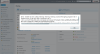
Internal error: Unable to exec utility listmng: listmng: listmng: Cannot find grep program System error 2: No such file or directory

Message Unable to exec utility listmng: listmng: listmng: Cannot find grep program System error 2: No such file or directory
File Unix.php
Line 144
Type PleskUtilException
Go To Previous Page
Search for related Knowledge Base articles
 
Solved it by changing everything in /usr/local/bin to chmod 755.. I had it set to 700.. Now I wonder WHAT in /usr/local/bin was listmng was using..
 
Back
Top