• The APS Catalog has been deprecated and removed from all Plesk Obsidian versions.
    Applications already installed from the APS Catalog will continue working. However, Plesk will no longer provide support for APS applications.
  • Please be aware: with the Plesk Obsidian 18.0.78 release, the support for the ngx_pagespeed.so module will be deprecated and removed from the sw-nginx package.

Resolved After latest update, plesk 12 says "cannot find grep"

tkalfaoglu

Silver Pleskian
After the lastest update I am getting a "cannot find grep" error..
grep exists on the system naturally..
 

Attachments

  • Screenshot from 2016-12-03 14-31-13.png
    Screenshot from 2016-12-03 14-31-13.png
    448.6 KB · Views: 2
I wrote too fast: This error occurs when I try to search for a domain using the search box in the upper right corner..
No changes were made to the system lately, afaik.
 
This also happens when I go into the "tools and settings" menu, which is currently not available..
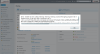
Internal error: Unable to exec utility listmng: listmng: listmng: Cannot find grep program System error 2: No such file or directory

Message Unable to exec utility listmng: listmng: listmng: Cannot find grep program System error 2: No such file or directory
File Unix.php
Line 144
Type PleskUtilException
Go To Previous Page
Search for related Knowledge Base articles
 
Solved it by changing everything in /usr/local/bin to chmod 755.. I had it set to 700.. Now I wonder WHAT in /usr/local/bin was listmng was using..
 
Back
Top