• The new Python extension is now available. It allows customers to deploy and manage WSGI-based Python applications on their websites directly from Plesk.
  • The Plesk Mobile apps for iOS and Android and the Plesk Mobile Center extension have been deprecated, and are no longer available for new installations. In Plesk Obsidian 18.0.84, the Plesk Mobile Center extension will be removed from servers during the upgrade, and the Plesk Mobile apps will lose their server management features.
  • The Social Login extension has been deprecated and will be removed in Plesk Obsidian 18.0.84. After that, it will no longer be possible to log in to Plesk with a Google, Facebook, GitHub account, or with a passkey. Plesk usernames and passwords, as well as logging in with a WebPros Account, are not affected.

Apache Is Down. >:(

dopeboy

Basic Pleskian
I Don't Know Why but apache2 is down all websites are down!
Code:
root@panel:/etc/network# ps aux | grep apache2
root       3802  0.0  0.0 148428 14284 ?        Ss   20:59   0:00 /usr/sbin/apache2 -k start
www-data   3805  0.0  0.0 144440  5056 ?        S    20:59   0:00 /usr/sbin/apache2 -k start
www-data   3806  0.0  0.0 445708 11840 ?        Sl   20:59   0:00 /usr/sbin/apache2 -k start
www-data   3807  0.0  0.0 445708 11840 ?        Sl   20:59   0:00 /usr/sbin/apache2 -k start
root       5640  0.0  0.0  14280   972 pts/1    S+   21:15   0:00 grep --color=auto apache2

iiFO6En.png


Code:
root@panel:/etc/network# netstat -anp | grep apache
tcp6       0      0 :::7080                 :::*                    LISTEN      3802/apache2
tcp6       0      0 :::7081                 :::*                    LISTEN      3802/apache2

Code:
netstat -tulpn

tcp6       0      0 :::7080                 :::*                    LISTEN      3802/apache2
tcp6       0      0 :::7081                 :::*                    LISTEN      3802/apache2
I'm not too good with "network" so for this i'm asking here.
Thanks for help.

and some time when i make an reboot i i'll view this
FFGJ7Rd.png

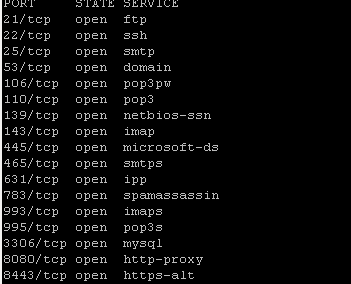
is an problem ? or is good ?
 
so my apache is running on port 7080, how i can reconfigure apache for plesk ?

Normally Plesk runs in reverse proxy mode with nginx running on port 80 and 443 and apache running on port 7080 and 7081 . Check and see that your nginx is running. If not try and restart it with:
service nginx restart. Check your log files to see what is going on with Nginx and Apache.

Some helpful commands:

1. To rebuild all Nginx / Apache configuration files:
Code:
/usr/local/psa/admin/bin/httpdmng --reconfigure-all

2. To enable or disable Nginx:
Code:
/usr/local/psa/admin/sbin/nginxmng --help
 
Normally Plesk runs in reverse proxy mode with nginx running on port 80 and 443 and apache running on port 7080 and 7081 . Check and see that your nginx is running. If not try and restart it with:
service nginx restart. Check your log files to see what is going on with Nginx and Apache.

Some helpful commands:

1. To rebuild all Nginx / Apache configuration files:
Code:
/usr/local/psa/admin/bin/httpdmng --reconfigure-all

2. To enable or disable Nginx:
Code:
/usr/local/psa/admin/sbin/nginxmng --help
thank you
 
Back
Top