
 Facebook
 Twitter
flexer88
New Pleskian
- Server operating system version
- Ubuntu 20.04.4 LTS
- Plesk version and microupdate number
- 18.0.44
Hello,
I'm building an application for server automation. I don't want to use admin (root) credential to create api key (too risky), so, I created a reseller for that.
1. If I using reseller's credential, I can not create API key (got 403 error)
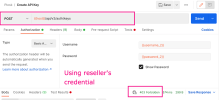
2. If I using admin credential, I can create API key for a specific reseller, but when I used the API key, it always return 401 error
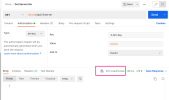
I need to use reseller's credential to create it's own api key, so I can use that API key to control everything inside its scope.
Thank you.
Notes:
- Everything fine If I used admin's credential to create admin's api key.
- My plesk's version: 18.0.44
- OS: Ubuntu 20.04.4 LTS
I'm building an application for server automation. I don't want to use admin (root) credential to create api key (too risky), so, I created a reseller for that.
1. If I using reseller's credential, I can not create API key (got 403 error)
2. If I using admin credential, I can create API key for a specific reseller, but when I used the API key, it always return 401 error
I need to use reseller's credential to create it's own api key, so I can use that API key to control everything inside its scope.
Thank you.
Notes:
- Everything fine If I used admin's credential to create admin's api key.
- My plesk's version: 18.0.44
- OS: Ubuntu 20.04.4 LTS
