Facebook
 Twitter
StratosEMP
New Pleskian
- Server operating system version
- Almalinux 9.2
- Plesk version and microupdate number
- 18.0.56
Hi,
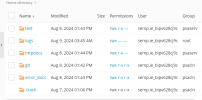
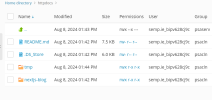
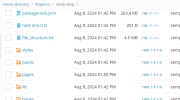
I have domain setup in cloud VPS business+ plesk. My code for website is written in Node.JS and html css. My Code structure contains nextjs-blog folder.
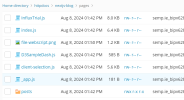
Inside nextjs-blog there is folder named as 'pages' which contains main application file 'index.js' which serves as main landing page of website.
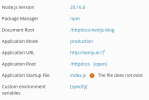
Now I am facing an issue of how to set the application root for that? nextjs-blog contains all the files and folders of the website code including api's, html, css, javascript etc. I believe the document root is httpsdocs/nextjs-blog but what will be the application root as document root must be the sub child of application root
I have domain setup in cloud VPS business+ plesk. My code for website is written in Node.JS and html css. My Code structure contains nextjs-blog folder.
Inside nextjs-blog there is folder named as 'pages' which contains main application file 'index.js' which serves as main landing page of website.
Now I am facing an issue of how to set the application root for that? nextjs-blog contains all the files and folders of the website code including api's, html, css, javascript etc. I believe the document root is httpsdocs/nextjs-blog but what will be the application root as document root must be the sub child of application root