• Debian 11 has reached its end-of-life (vendor EOL date - August 31, 2026). Plesk Obsidian 18.0.81 is the last release to support it.
    If you are running Plesk Obsidian on Debian 11, we recommend you upgrade those servers to Debian 12 using our dist-upgrade tool.
  • We plan to deprecate and remove the support for XML RPC protocol versions earlier than 1.6.9.1 in Plesk Obsidian 18.0.82. We strongly recommend that you update all existing integrations using earlier versions of the XML RPC protocol to comply with the version 1.6.9.1 specification.

Background color question

L

LanceV

Guest
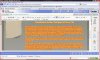
Hi, is there any way to change the background color of the template? The option to change the background color from the drop down menu only changes the the color behind the text itself, not the entire box the text appears in. See attached screenshot. I picked a really gaudy color, but let's say I wanted to make the whole background orange in this case, how do I do that?

Also, is there a user guide somewhere? I'm new to using Sitebuilder, and I've only seen the video tutorials. Any help would be much appreciated. Thanks!
 

Attachments

  • screen shot of bad background color text issue.JPG
    screen shot of bad background color text issue.JPG
    274.3 KB · Views: 9
Is there an easy way to change the background color if I am NOT using a design template? In other words, I have a blank page but it is white, I want to change the background to black.
 
Back
Top