• The new Python extension is now available. It allows customers to deploy and manage WSGI-based Python applications on their websites directly from Plesk.
  • Debian 11 has reached its end-of-life (vendor EOL date - August 31, 2026). Plesk Obsidian 18.0.81 is the last release to support it.
    If you are running Plesk Obsidian on Debian 11, we recommend you upgrade those servers to Debian 12 using our dist-upgrade tool.
  • We plan to deprecate and remove the support for XML RPC protocol versions earlier than 1.6.9.1 in Plesk Obsidian 18.0.82. We strongly recommend that you update all existing integrations using earlier versions of the XML RPC protocol to comply with the version 1.6.9.1 specification.

Issue Block a IP in Plesk Firewall but dose not block the IP from using the ports 80, 443

raykai

Basic Pleskian
Hi,
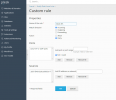
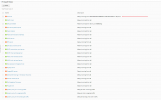
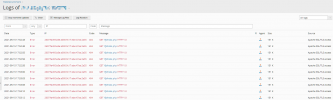
I block an IP in Plesk Firewall but it still lets that IP still use the ports 80, 443. Meaning it can still see the website hosted
How can I completely block an IP from anything from my server?

What am I missing here?
Snipaste_2021-09-15_17-50-42.png
Snipaste_2021-09-15_17-51-54.png

Snipaste_2021-09-15_17-53-37.png
 
Back
Top