
 Facebook
 Twitter
- Server operating system version
- Ubuntu 20.04.6
- Plesk version and microupdate number
- 18.0.60
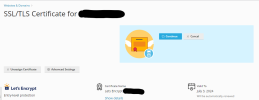
As the title says, the certificate renew section on a domain, displays empty dialog.
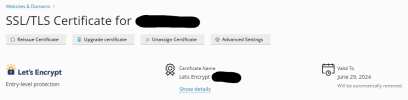
On the other hand, a second domain does not display this.
I tried to "fix" using the "plesk repair all -v -n" and does not display any error.
If anyone could provide a bit of guidance or help it would be very apreciated.
Thanks
On the other hand, a second domain does not display this.
I tried to "fix" using the "plesk repair all -v -n" and does not display any error.
plesk repair all -v -n

Checking the Plesk database using the native database server tools
  Run query: CHECK TABLE accounts
  Run query: ... (reduced log)

Checking the structure of the Plesk database ........................ [OK]

Checking the consistency of the Plesk database ...................... [OK]

Checking system users ............................................... [OK]

Checking Linux system files ......................................... [OK]

Checking virtual hosts' file system ................................. [OK]

Checking Plesk version
  Installed Plesk version/build: 18.0.60 Ubuntu 20.04 1800240329.08
  Checking Apache configuration ..................................... [OK]

Checking for custom configuration templates ......................... [OK]

Checking associations between domains and IP addresses .............. [OK]

Checking for corrupted reference between IP collections and
IPaddresses ......................................................... [OK]

Checking for links between APS applications and subscriptions ....... [OK]

Checking for nginx ULIMIT value ..................................... [OK]

Checking for extra configurations in database not owned by any object
................................................................... [OK]

Checking the status of the required Apache modules .................. [OK]

Checking the configuration of Apache modules ........................ [OK]

Checking web server configuration. Please wait ...................... [OK]

Checking the usage of PHP handlers .................................. [OK]

Checking for obsolete PHP-FPM configuration files ................... [OK]

Repairing the mail server configuration ............................. [OK]

Checking the DNS configuration file ................................. [OK]

Checking the user DNS configuration file ............................ [OK]

Restoring DNS server configuration .................................. [OK]

Checking MariaDB/MySQL database servers ............................. [OK]

Repair databases on available servers ............................... [OK]

Repair database users on available servers .......................... [OK]

Checking and restoring users for the domain domain1.com ............. [OK]

Checking and restoring users for the domain domain2.com ............. [OK]

Error messages: 0; Warnings: 0; Errors resolved: 0
If anyone could provide a bit of guidance or help it would be very apreciated.
Thanks


