• Debian 11 is approaching its end-of-life (vendor EOL date - August 31, 2026). Plesk Obsidian 18.0.80 will be the last release to support it.
    If you are running Plesk Obsidian on Debian 11, we recommend you upgrade those servers to Debian 12 using our dist-upgrade tool.
  • We plan to deprecate and remove the support for XML RPC protocol versions earlier than 1.6.9.1 in Plesk Obsidian 18.0.82. We strongly recommend that you update all existing integrations using earlier versions of the XML RPC protocol to comply with the version 1.6.9.1 specification.

Resolved Change email password

bttman

New Pleskian
How can I change the password of an email account ? with this new update I have no option, or access to domain email accounts, is this a bug ?
 
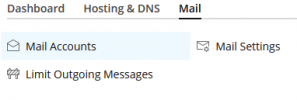
Open your subscription, then click on the "Mail" tab, select the mail account and change the password there:
1634657360131.png

Doesn't this work for you?
 
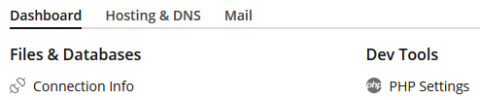
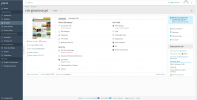
So please post a screenshot of what you see when you search for the domain, it should look roughly like this:

1634659626166.png


Now, when you click on "Mail", what do you see?
 
Can you please check this thread, it may have a solution to your problem:
 
Resolved, was this:

- In the "Mail Server Settings" item, please make sure that the checkbox "Enable mail management functions in Plesk" is checked

During the last plesk update, it unckeded this ...

tks for the help.
 
Back
Top