
 Facebook
 Twitter
Hi
The spanish forums are offline so I'll try in English
I don't know anything about Parallel Panels, so I need a little help to do the most basic things. I've put this in the Linux forum but i'm not sure about it. It's Parallel 11 with Ubuntu 12.
I need to do 2 things:
1- Create a MySQL database in my main URL, so that I can install wordpress on a new directory. For example www.myurl.com/blog. Now I see 5 databases. 3 linked to my main URL and 2 others linked to different microsite urls.
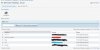
But How? If I go to Webadmin, it goes to PHP My Admin. In the "Databases" tab it says to create a new one. I create it but... then what? I see 17 databases here, but in Parallel I still see the 5 that I had. And still don't know id the database I've creatis a MySQL or not, vecause there's another tab named "SQL" that I don't understand at all.
2- This is a bit more complex (at least for me). I need to import a domain bought at another webpage, and configure it so that in the same Parallel hosting I can manage this new site (domain+hosting+sql)
Where can I start from?
Thank you thank you very much!!
The spanish forums are offline so I'll try in English
I don't know anything about Parallel Panels, so I need a little help to do the most basic things. I've put this in the Linux forum but i'm not sure about it. It's Parallel 11 with Ubuntu 12.
I need to do 2 things:
1- Create a MySQL database in my main URL, so that I can install wordpress on a new directory. For example www.myurl.com/blog. Now I see 5 databases. 3 linked to my main URL and 2 others linked to different microsite urls.
But How? If I go to Webadmin, it goes to PHP My Admin. In the "Databases" tab it says to create a new one. I create it but... then what? I see 17 databases here, but in Parallel I still see the 5 that I had. And still don't know id the database I've creatis a MySQL or not, vecause there's another tab named "SQL" that I don't understand at all.
2- This is a bit more complex (at least for me). I need to import a domain bought at another webpage, and configure it so that in the same Parallel hosting I can manage this new site (domain+hosting+sql)
Where can I start from?
Thank you thank you very much!!

