Follow along with the video below to see how to install our site as a web app on your home screen.
Note: This feature may not be available in some browsers.
The APS Catalog has been deprecated and removed from all Plesk Obsidian versions. Applications already installed from the APS Catalog will continue working. However, Plesk will no longer provide support for APS applications.
Please be aware: with the Plesk Obsidian 18.0.78 release, the support for the ngx_pagespeed.so module will be deprecated and removed from the sw-nginx package.
I have a question;
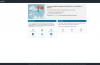
Where can i find this "new" default page from plesk?
I like it but i cannot find and we are still having the "old" one.
Can somebody tell me where i can find it?
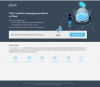
This is what i still have, even after upgrading to obsidian..
@menderes This branding the plesk interfaces, that's not what i mean. What i mean is where i can find the new the default page when you add a new subscription and open the site for the first, you get the default page seen..
Could you please have a loot at /var/www/vhosts/.skel/0/httpdocs, I think it should be in that path. I currently can't check this, but normally the default index-pages were located there.