• Debian 11 is approaching its end-of-life (vendor EOL date - August 31, 2026). Plesk Obsidian 18.0.80 will be the last release to support it.
    If you are running Plesk Obsidian on Debian 11, we recommend you upgrade those servers to Debian 12 using our dist-upgrade tool.
  • We plan to deprecate and remove the support for XML RPC protocol versions earlier than 1.6.9.1 in Plesk Obsidian 18.0.82. We strongly recommend that you update all existing integrations using earlier versions of the XML RPC protocol to comply with the version 1.6.9.1 specification.

Resolved Deleting Watchdog extension won't work, cannot uninstall it

sysmin1

New Pleskian
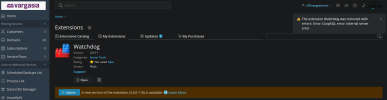
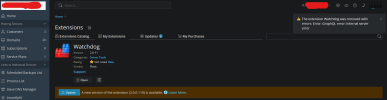
I tried accessing my Plesk Panel, and under my extension list, clicking on Watchdog, then clicking the rubbish bin shows this error:

The extension Watchdog was removed with errors: Error: GraphQL error: Internal server error.

Manually deleting the directory at /usr/local/psa/var/modules/ works, but the icon still shows up. Any suggestion is appreciated, have a nice day everyone!
1741275788822.png
 

Attachments

  • 1741275747466.png
    1741275747466.png
    97.2 KB · Views: 4
Hello @sysmin1
Looks like the extension was corrupted before the attempt of uninstallation.
I can suggest you reinstall it via command line:
Code:
# plesk bin extension --install watchdog
# plesk bin extension --uninstall watchdog
In case it would not help -- please submit a request to Plesk support team
 
That did it, thanks!

Another tip for the future: when entering Plesk's panel through the web GUI, loading another section, then checking Extensions, it will update the list with all plugins. Just in case someone executes the commands and Watchdog is still there.
 
Back
Top