• The APS Catalog has been deprecated and removed from all Plesk Obsidian versions.
    Applications already installed from the APS Catalog will continue working. However, Plesk will no longer provide support for APS applications.
  • Please be aware: with the Plesk Obsidian 18.0.78 release, the support for the ngx_pagespeed.so module will be deprecated and removed from the sw-nginx package.

Resolved Deleting Watchdog extension won't work, cannot uninstall it

sysmin1

New Pleskian
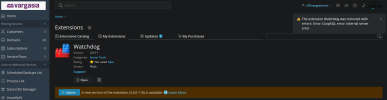
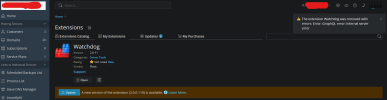
I tried accessing my Plesk Panel, and under my extension list, clicking on Watchdog, then clicking the rubbish bin shows this error:

The extension Watchdog was removed with errors: Error: GraphQL error: Internal server error.

Manually deleting the directory at /usr/local/psa/var/modules/ works, but the icon still shows up. Any suggestion is appreciated, have a nice day everyone!
1741275788822.png
 

Attachments

  • 1741275747466.png
    1741275747466.png
    97.2 KB · Views: 4
Hello @sysmin1
Looks like the extension was corrupted before the attempt of uninstallation.
I can suggest you reinstall it via command line:
Code:
# plesk bin extension --install watchdog
# plesk bin extension --uninstall watchdog
In case it would not help -- please submit a request to Plesk support team
 
That did it, thanks!

Another tip for the future: when entering Plesk's panel through the web GUI, loading another section, then checking Extensions, it will update the list with all plugins. Just in case someone executes the commands and Watchdog is still there.
 
Back
Top