• The new Python extension is now available. It allows customers to deploy and manage WSGI-based Python applications on their websites directly from Plesk.
  • The Plesk Mobile apps for iOS and Android and the Plesk Mobile Center extension have been deprecated, and are no longer available for new installations. In Plesk Obsidian 18.0.84, the Plesk Mobile Center extension will be removed from servers during the upgrade, and the Plesk Mobile apps will lose their server management features.
  • The Social Login extension has been deprecated and will be removed in Plesk Obsidian 18.0.84. After that, it will no longer be possible to log in to Plesk with a Google, Facebook, GitHub account, or with a passkey. Plesk usernames and passwords, as well as logging in with a WebPros Account, are not affected.

Issue Disk space automatically getting fulled

shanmuga

Basic Pleskian
Server operating system version
Canonical Ubuntu 20.01 Aarch 64
Plesk version and microupdate number
18.0.47
Hello,

My Plesk server getting fulled automatically. Last week i deleted several files and database to free up space but again when i am getting today, it full again. I have very simple website with 100 GB of space.

I am not sure what downloading plesk which making my sever full automatically.
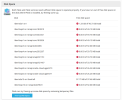
1725975919849.png
 
Can be lots of things like backups, log files, etc.
If you have SSH access, you can check these commands:
Bash:
du -sh /var/lib/psa/dumps/
du -sh /var/log/
du -sh /var/www/vhosts/
du -sh /var/www/vhosts/system/
 
Can be lots of things like backups, log files, etc.
If you have SSH access, you can check these commands:
Bash:
du -sh /var/lib/psa/dumps/
du -sh /var/log/
du -sh /var/www/vhosts/
du -sh /var/www/vhosts/system/
Here is the result.

Code:
root@musing-lalande:~# du -sh /var/lib/psa/dumps/
29G     /var/lib/psa/dumps/
root@musing-lalande:~# du -sh /var/log/
32G     /var/log/
root@musing-lalande:~# du -sh /var/www/vhosts/
2.1G    /var/www/vhosts/
root@musing-lalande:~# du -sh /var/www/vhosts/system/
1.9G    /var/www/vhosts/system/

Which one should i delete?
 
You shouldn't manually delete anything. All you should do is manage the disk space, such as setting the number of daily backups.
How did you set those? Every day a full backup or another backup scheme?
Can you post a screenshot of the global backup settings?
Tools & Settings -> Backup Manager -> Schedule
 
Back
Top