Facebook
 Twitter
Hi all together,
I sucessfully created a docker container with the current MySQL 8.0.3
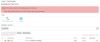
But when I try to provide it as a database server for all customers on <your_plesk_url: port>/server/db_server_edit.php the following error occurs:
Server sent charset unknown to the client. Please, report to the developers
As far as I understood the problem is the charset change in MySQL to utf8mb4 which causes the problem. But I have no idea how to fix this. Do I have to change the charset on the mysql-server inside the docker container or is there a way to fix this inside plesk?
Using Plesk Onyx 17.5.3 Update #39 on CentOS Linux 7.4.1708 (Core) with the MySQL-docker-container 8.0.3-rc-1debian8
Regards
I sucessfully created a docker container with the current MySQL 8.0.3
But when I try to provide it as a database server for all customers on <your_plesk_url: port>/server/db_server_edit.php the following error occurs:
Server sent charset unknown to the client. Please, report to the developers
As far as I understood the problem is the charset change in MySQL to utf8mb4 which causes the problem. But I have no idea how to fix this. Do I have to change the charset on the mysql-server inside the docker container or is there a way to fix this inside plesk?
Using Plesk Onyx 17.5.3 Update #39 on CentOS Linux 7.4.1708 (Core) with the MySQL-docker-container 8.0.3-rc-1debian8
Regards