Facebook
 Twitter
FrankJ
New Pleskian
- Server operating system version
- Debian 11
- Plesk version and microupdate number
- Plesk Obsidian Web Host Edition 18.0.49 Update #2
Hi guys,
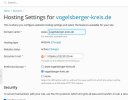
I have several folders under httpdocs and try to switch the document root for the domain Domain Default page. The result always is the Plesk message "This is a default webpage generated for …"
Am I missing something general? I've read through so many support threads already and changed the document root agaian and again — the website does not show. What am I dong wrong?
Cheers, Frank
I have several folders under httpdocs and try to switch the document root for the domain Domain Default page. The result always is the Plesk message "This is a default webpage generated for …"
Am I missing something general? I've read through so many support threads already and changed the document root agaian and again — the website does not show. What am I dong wrong?
Cheers, Frank