• Halloween is coming! To celebrate the occasion, we dusted off a couple of old skins, and even created a brand new one (Pixel).
    To get into the festive spirit, install the Skins extension.
  • The new Python extension is now available. It allows customers to deploy and manage WSGI-based Python applications on their websites directly from Plesk.
  • The Plesk Mobile apps for iOS and Android and the Plesk Mobile Center extension have been deprecated, and are no longer available for new installations. In Plesk Obsidian 18.0.84, the Plesk Mobile Center extension will be removed from servers during the upgrade, and the Plesk Mobile apps will lose their server management features.
  • The Social Login extension has been deprecated and will be removed in Plesk Obsidian 18.0.84. After that, it will no longer be possible to log in to Plesk with a Google, Facebook, GitHub account, or with a passkey. Plesk usernames and passwords, as well as logging in with a WebPros Account, are not affected.

Email client keeps saying "Cannot find the server..."

Spikerok

Basic Pleskian
Hello,

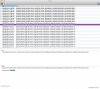
I have completed email set up on my server and have checked that email ports are open, but for some reason outlook keeps returning : "Outlook cannot find the server. Verify the server information is entered correctly in the Account Settings, and that you DNS settings in the Network pane of System Preferences are correct."

The odd thing is that outlook still picks up emails if I receive any, but keeps returning above error every minute.
 

Attachments

  • Screen Shot 2014-09-19 at 6.01.28 pm.jpg
    Screen Shot 2014-09-19 at 6.01.28 pm.jpg
    323.1 KB · Views: 2
Check content of file /etc/host.conf File shouldn't be empty.
Also try to change configuration options that use 'localhost' to use '127.0.0.1':

# postconf smtpd_milters=inet:127.0.0.1:12768
# postconf non_smtpd_milters=inet:127.0.0.1:12768

and restart postfix service.
 
Back
Top